
Share to folder
Share-to-folder is a share target that saves items shared with it to a folder.
It is a convenient companion to apps that only allow to share data, but not to save it. It is also useful with apps that have a user interface for sharing that is more convenient than for saving or copying. For instance, in gallery you easily can use share to sort photos with just 2 taps per photo, whereas using copy would be more cumbersome.
* no root is required
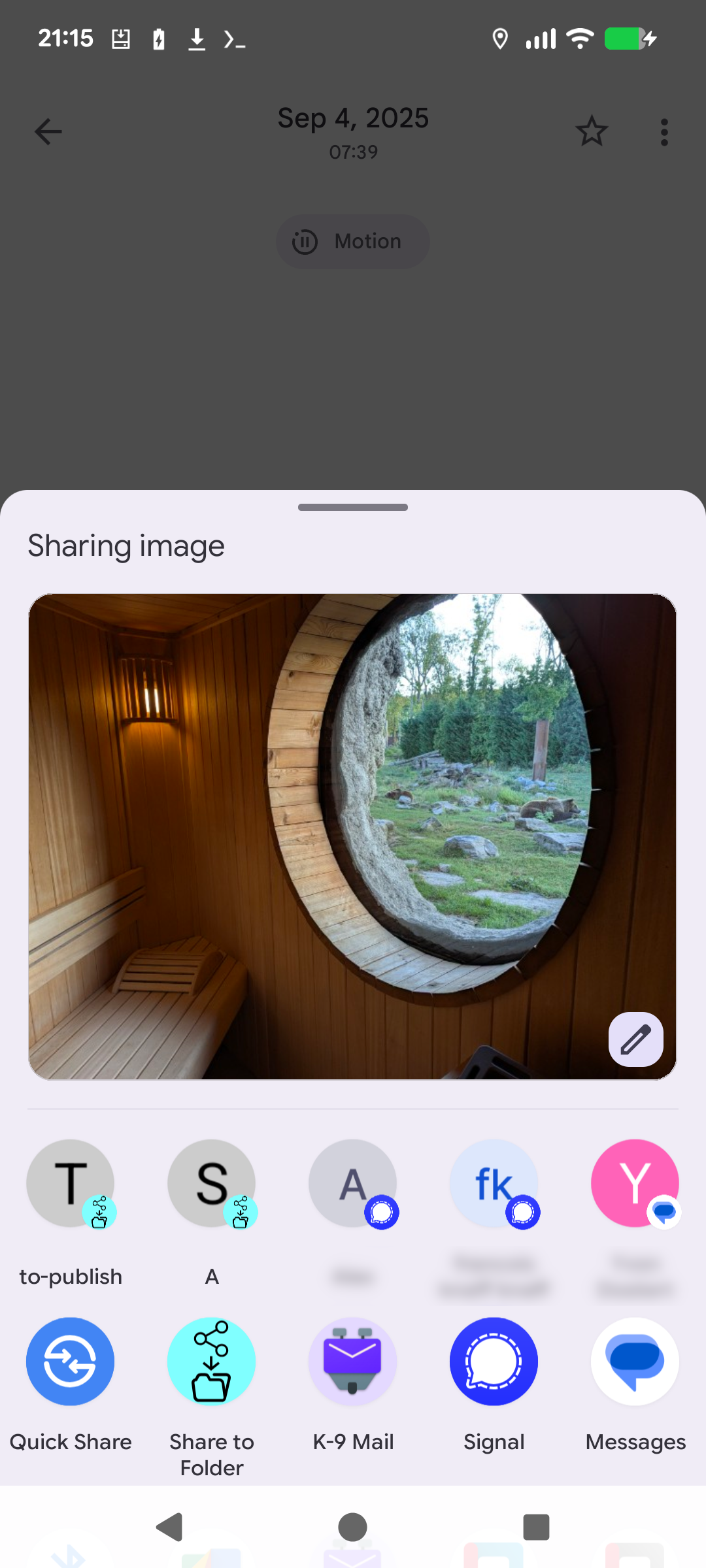
* folders to which you have shared documents at least once are remembered as shortcuts
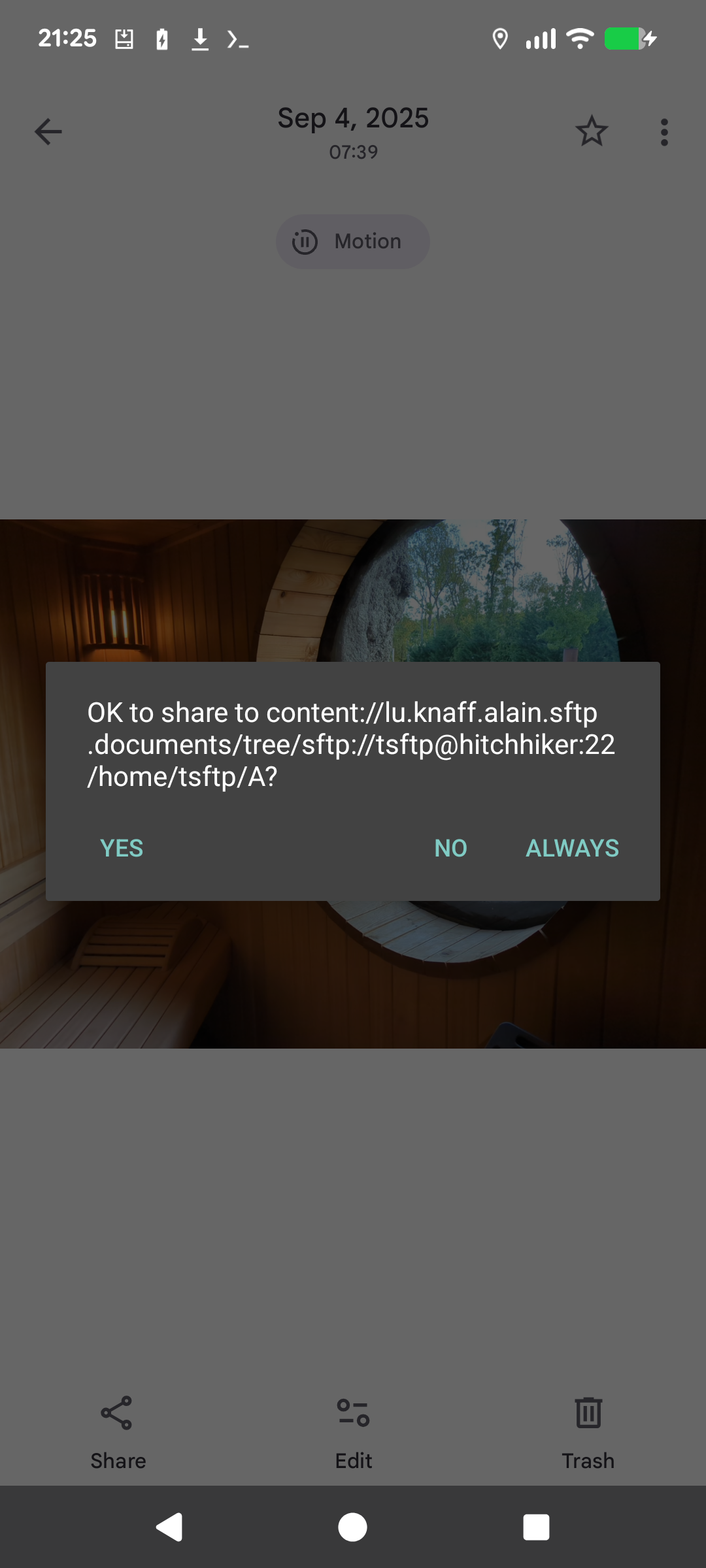
* for security, sharing to a shortcutted folder is still subject to a confirmation dialog, but you can answer allow always if the target folder is not security critical.
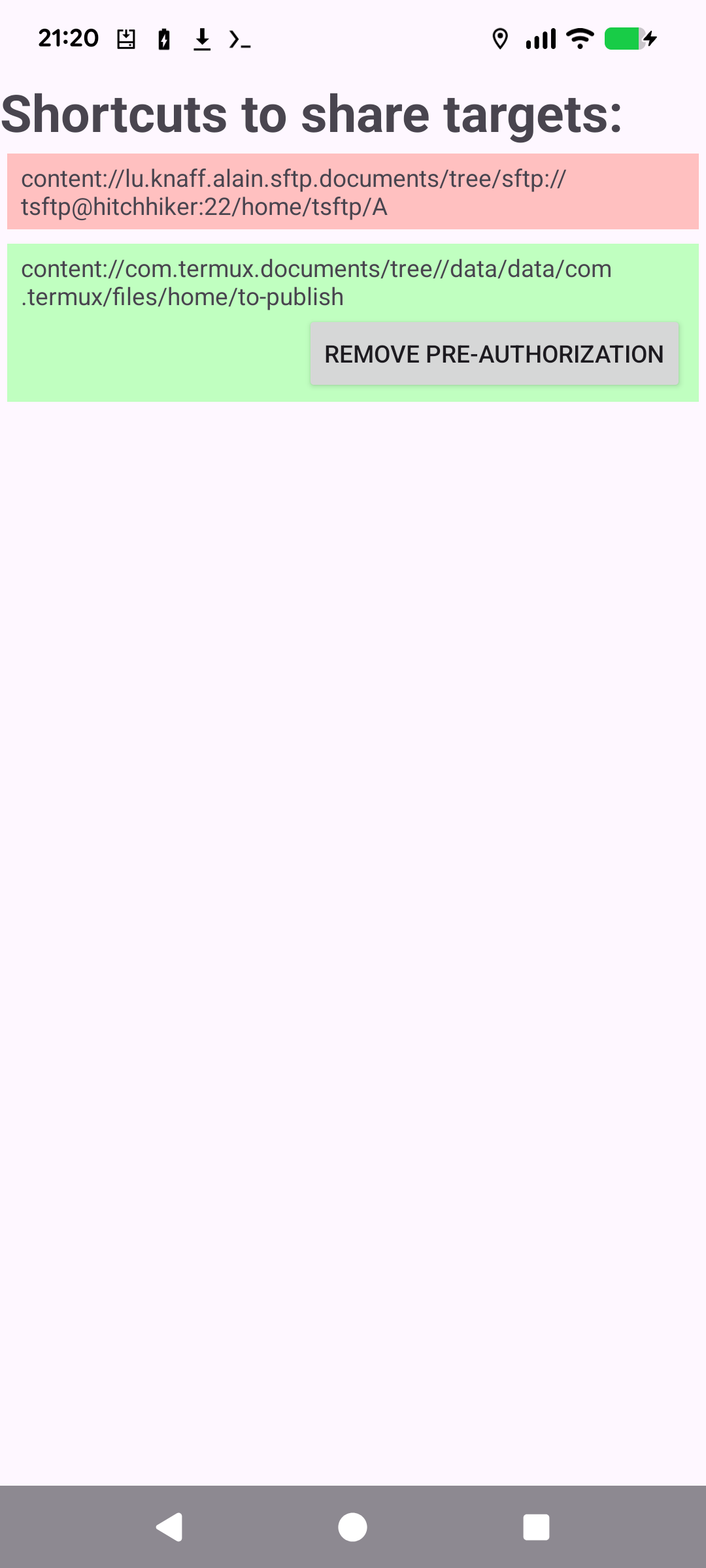
* you can browse your list of recently shared folders in the app’s main activity. Red are those that still require a confirmation to share to, and green are those to which you have answered always. You can remove the pre-authorization again in case you clicked always accidentally or made up your mind.
It is a convenient companion to apps that only allow to share data, but not to save it. It is also useful with apps that have a user interface for sharing that is more convenient than for saving or copying. For instance, in gallery you easily can use share to sort photos with just 2 taps per photo, whereas using copy would be more cumbersome.
* no root is required
* folders to which you have shared documents at least once are remembered as shortcuts
* for security, sharing to a shortcutted folder is still subject to a confirmation dialog, but you can answer allow always if the target folder is not security critical.
* you can browse your list of recently shared folders in the app’s main activity. Red are those that still require a confirmation to share to, and green are those to which you have answered always. You can remove the pre-authorization again in case you clicked always accidentally or made up your mind.
What's new in 0.1.11
- Enhanced handling for sharing multiple files simultaneously to selected folders.
- Improved duplicate file detection and overwrite-handling options.
- Better preservation of original file timestamps and metadata during saving.
- Refined filename sanitization to properly handle special and invalid characters.
- Enhanced background saving reliability and progress notifications.
- Resolved stability issues and crashes when receiving shared content from specific third-party apps.
- Improved folder permission handling via the Android Storage Access Framework.