BinClockWidget
An AMOLED-black, monochrome binary-clock Android home-screen widget.
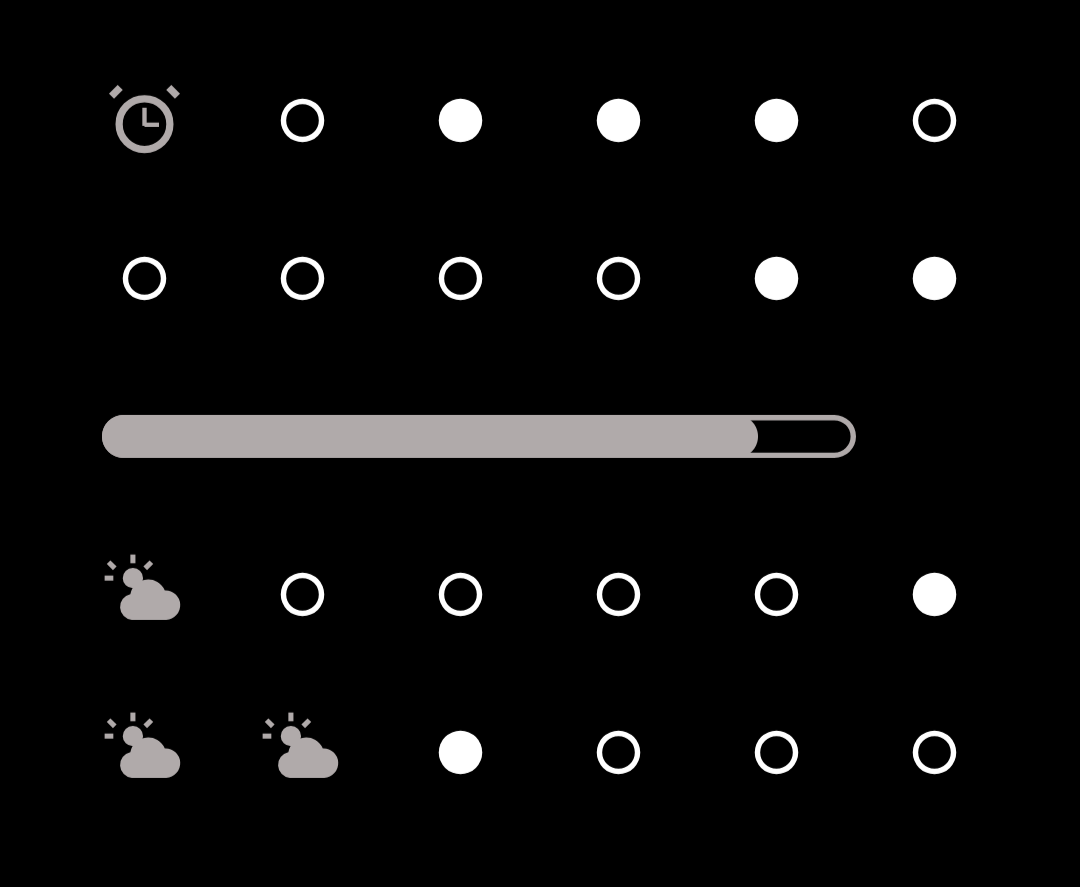
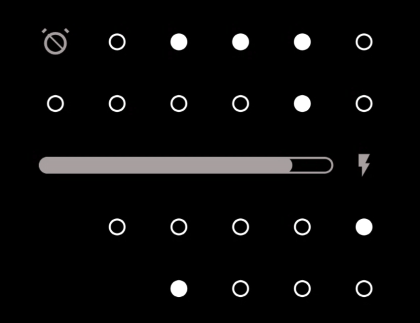
It renders the current time and date as a 6×4 grid of dots. Cells that would otherwise go unused carry a couple of small extras: the device alarm state and a weather glyph. The aesthetic is deliberately austere — solid dots on true black, no chrome, no colour — so it disappears into an AMOLED wallpaper and sips battery.
How to read it
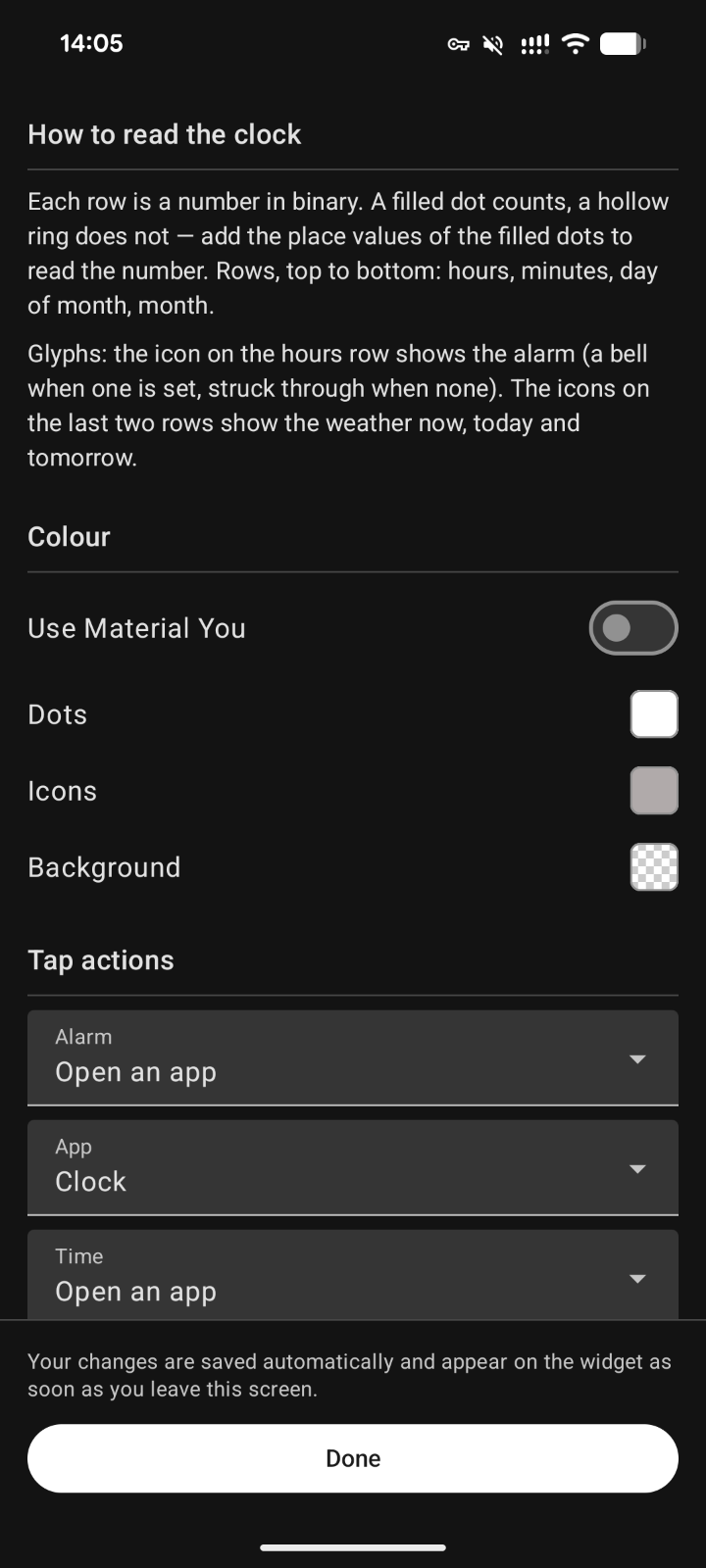
The face is a grid of rows (values) and columns (place values):
* Rows encode, top to bottom: hours, minutes, day (of month), month.
* Columns are binary place values: 32 · 16 · 8 · 4 · 2 · 1.
* A lit (solid) dot means that place value is on; an unlit dot is off. Add the lit columns in a row to read that row's number.
For example, a minutes row with the 32, 8, and 2 dots lit reads 32 + 8 + 2 = 42.
The cells not needed by the low-value ends of the shorter rows are reused to show the alarm state and a weather condition glyph.
Weather, network & privacy
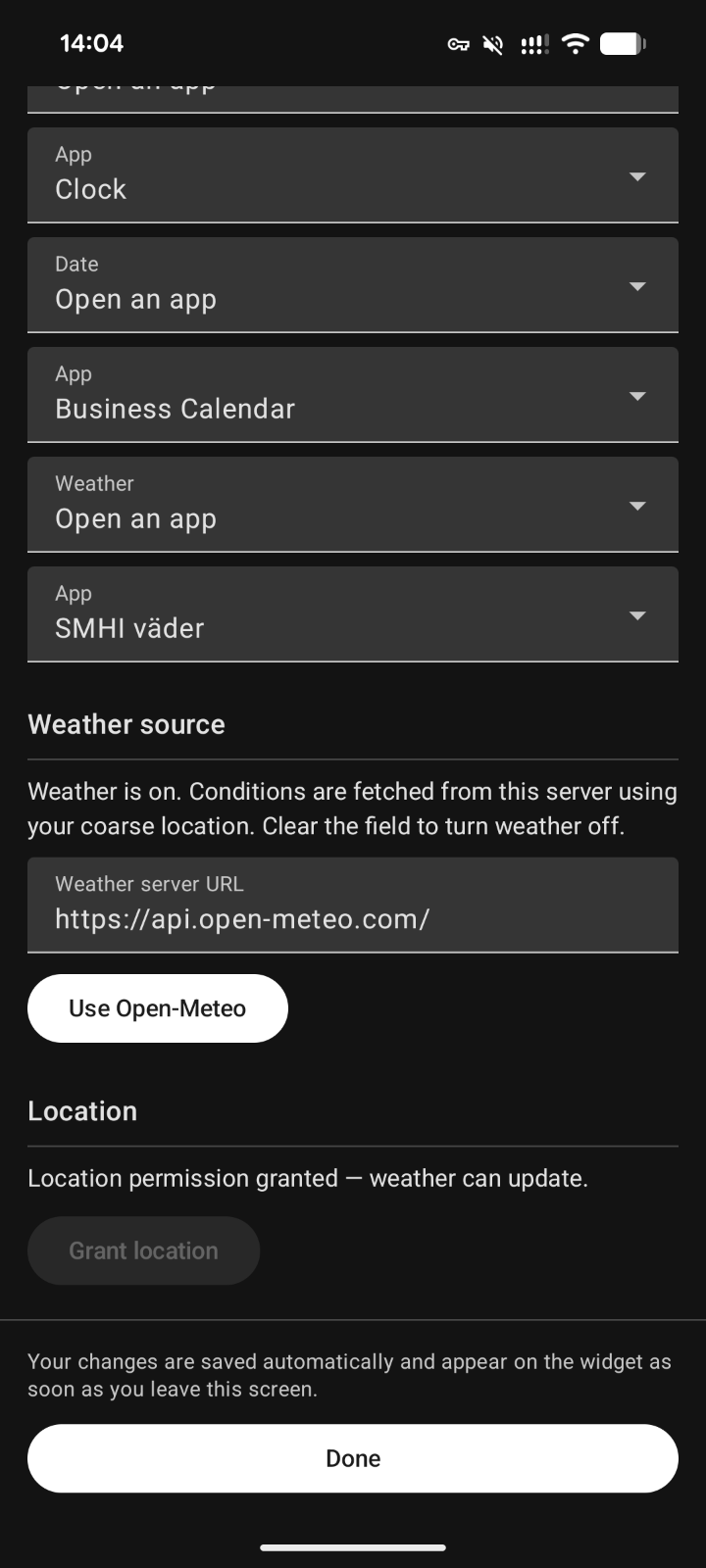
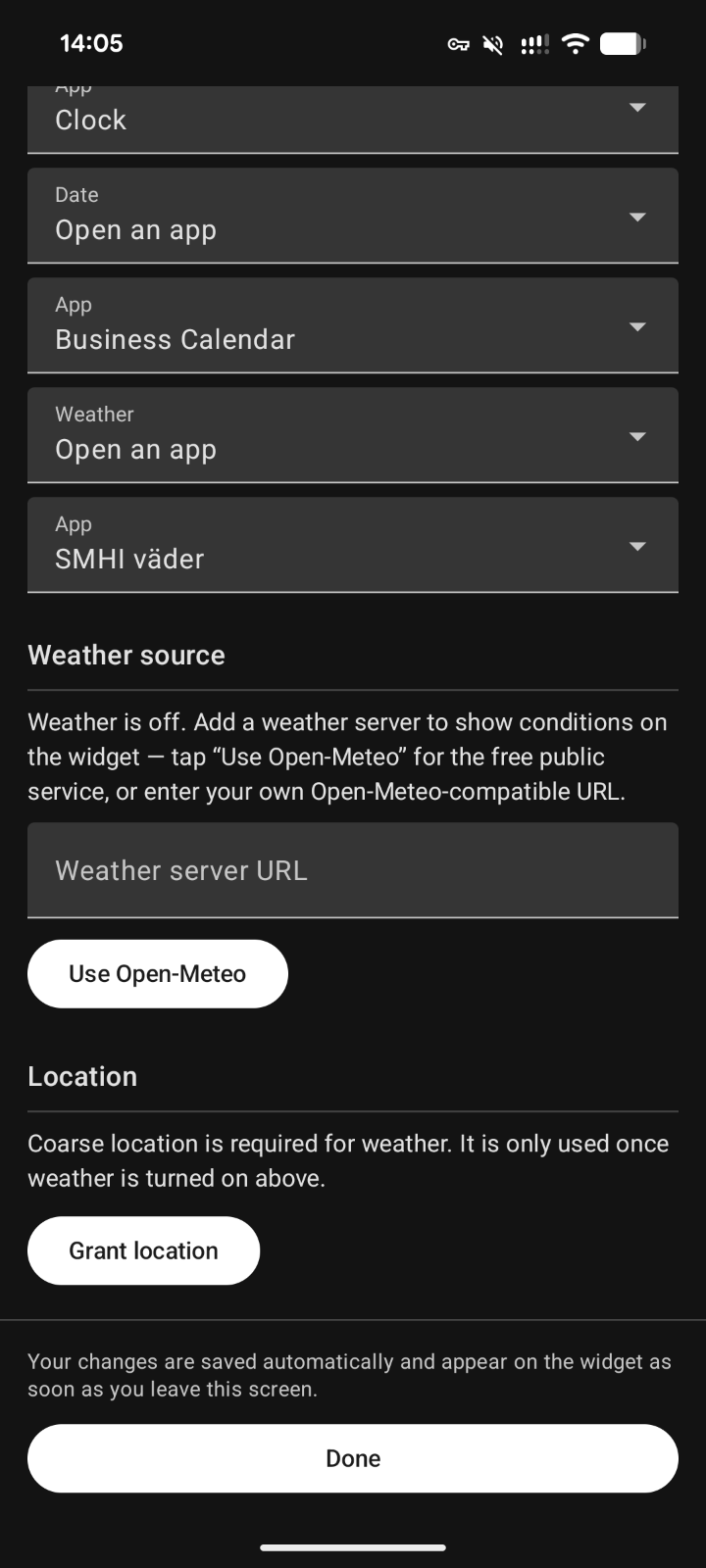
Weather is off by default and opt-in: on a fresh install the widget makes no network or location calls, and no weather glyph is shown. Weather stays entirely dormant until you enter a weather server URL in the widget settings.
When you turn it on, weather uses the keyless Open-Meteo API. Tapping "Use Open-Meteo" fills in the public endpoint (https://api.open-meteo.com/), which is then contacted over the INTERNET permission to fetch current conditions and a short forecast. You can instead point the setting at your own self-hosted Open-Meteo instance — any http(s) URL is accepted.
With weather on, the widget also needs coarse location (ACCESS_COARSE_LOCATION) to fetch conditions for where you are. Location is read via the platform LocationManager only — there are no Google Play Services, no fused/Play location, and no proprietary SDKs. The coordinates are sent only to the weather server you configured, and only while weather is enabled.
It renders the current time and date as a 6×4 grid of dots. Cells that would otherwise go unused carry a couple of small extras: the device alarm state and a weather glyph. The aesthetic is deliberately austere — solid dots on true black, no chrome, no colour — so it disappears into an AMOLED wallpaper and sips battery.
How to read it
The face is a grid of rows (values) and columns (place values):
* Rows encode, top to bottom: hours, minutes, day (of month), month.
* Columns are binary place values: 32 · 16 · 8 · 4 · 2 · 1.
* A lit (solid) dot means that place value is on; an unlit dot is off. Add the lit columns in a row to read that row's number.
For example, a minutes row with the 32, 8, and 2 dots lit reads 32 + 8 + 2 = 42.
The cells not needed by the low-value ends of the shorter rows are reused to show the alarm state and a weather condition glyph.
Weather, network & privacy
Weather is off by default and opt-in: on a fresh install the widget makes no network or location calls, and no weather glyph is shown. Weather stays entirely dormant until you enter a weather server URL in the widget settings.
When you turn it on, weather uses the keyless Open-Meteo API. Tapping "Use Open-Meteo" fills in the public endpoint (https://api.open-meteo.com/), which is then contacted over the INTERNET permission to fetch current conditions and a short forecast. You can instead point the setting at your own self-hosted Open-Meteo instance — any http(s) URL is accepted.
With weather on, the widget also needs coarse location (ACCESS_COARSE_LOCATION) to fetch conditions for where you are. Location is read via the platform LocationManager only — there are no Google Play Services, no fused/Play location, and no proprietary SDKs. The coordinates are sent only to the weather server you configured, and only while weather is enabled.